Facebook Pixel + Dynamic Retargeting
Compatibilidad > 1.5.x - 1.7.x

Facebook Pixel + Dynamic Retargeting

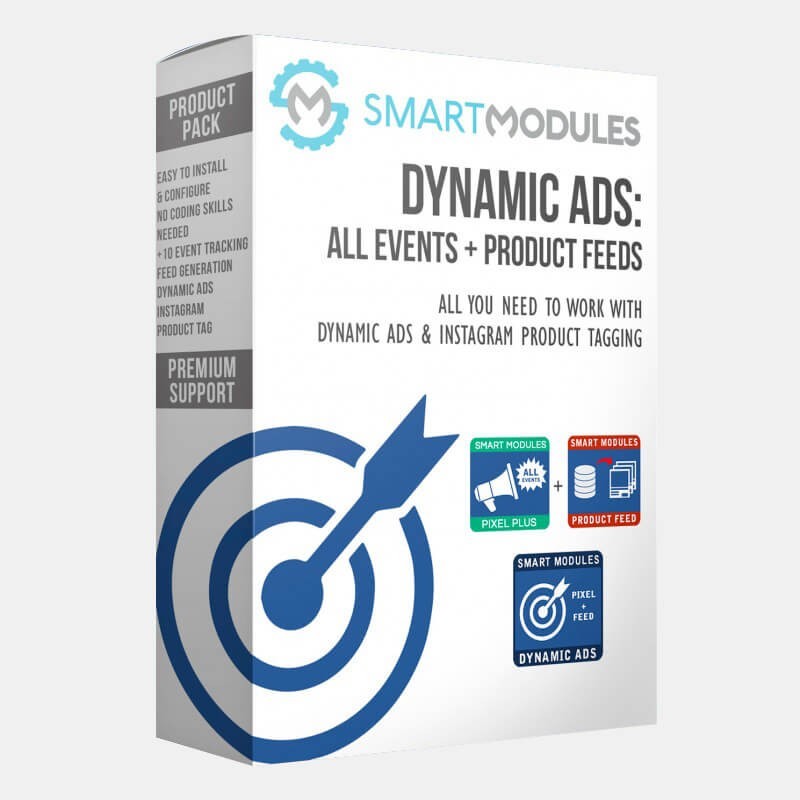
All-in-one! Make the most of our two best modules. With this package you can track Facebook events completely and Export the product catalogue for Dynamic Product Ads.
SmartModules
Description
This package is a combination of two of our best selling modules.
 
Make the most of your Facebook campaigns (ads) by tracking all conversions and events, and by creating successful Dynamic Product Ads campaigns.
 

Facebook Conversion Tracking Pixel Plus

An easy to implement and fully featured module to track almost all Facebook events.
- PageView
- ViewContent
- AddtoCart
- AddToWishlist
- InitiateCheckout
- AddPaymentInfo
- Custom Page Tracking (like CMS, contact info...)
 
You will be able to export your customers and newsletter users for Email Custom Audiences.
 

Facebook Products Feed for Dynamic Ads

A fast, well documented and reliable module to export all your products to Facebook.
 
This module contains a simple but powerful configuration page where you can set up the parameters to generate the Product feed just like Facebook requests.
 
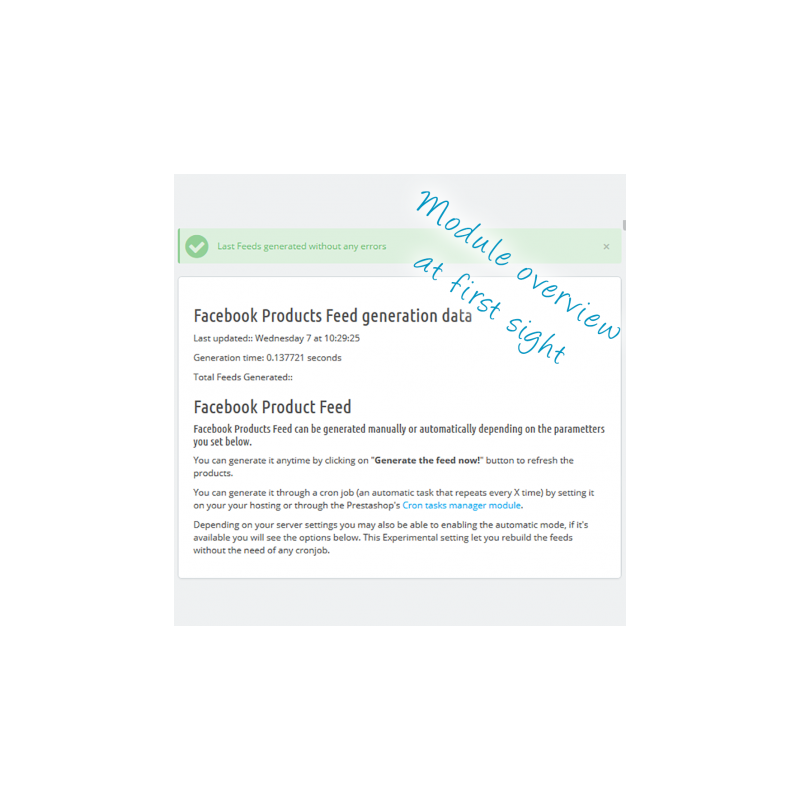
In case an error occurs generating the feed, an error report will show (containing suggestions that will help you to fix the problem) with a direct link to the product edit page.
 
There are also several special options for an easier export of your products to Facebook, like a bypass for the products without identifier, MPN or brand. It also generates feeds by cycles or selects the desired image size.
 
Finally, this module is supported by Google Product Taxonomies. This leads to a greater effectiveness of your Facebook ads.
 
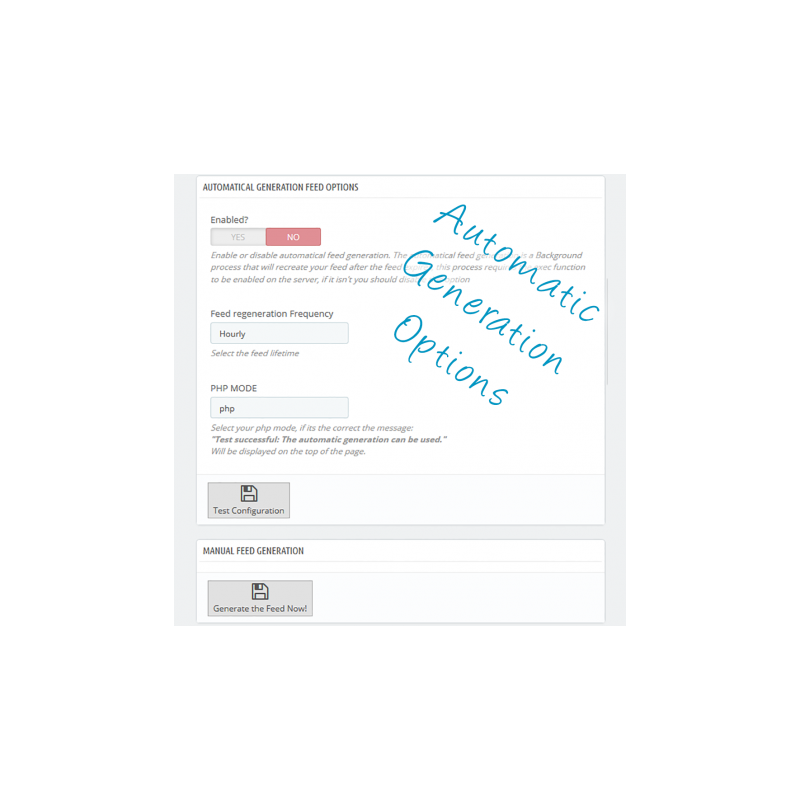
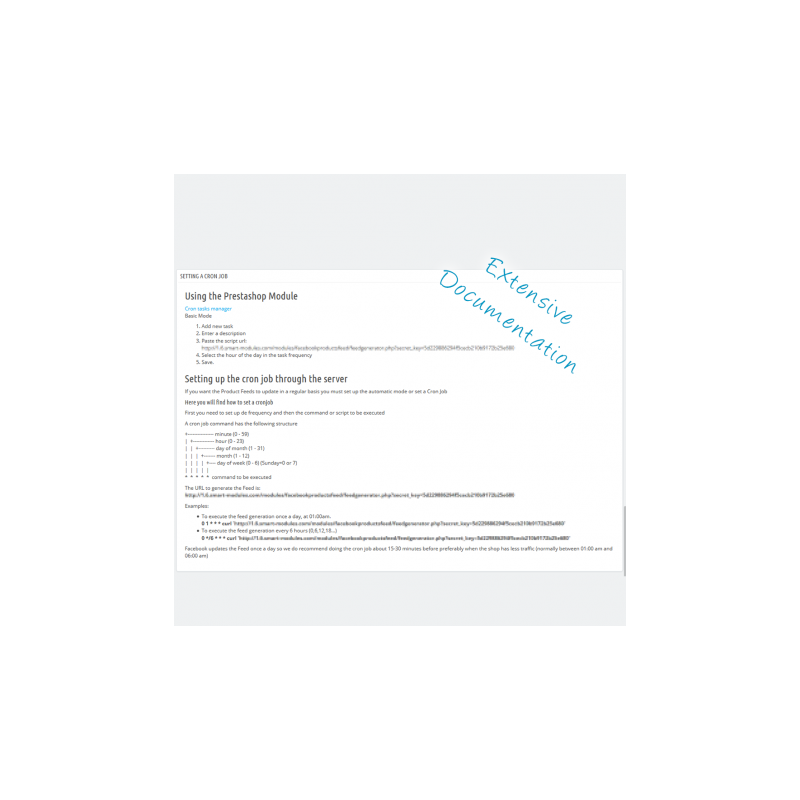
Once the module is configured you can set a CronJob. You will never have to worry about feed generation again.
 

FEATURES

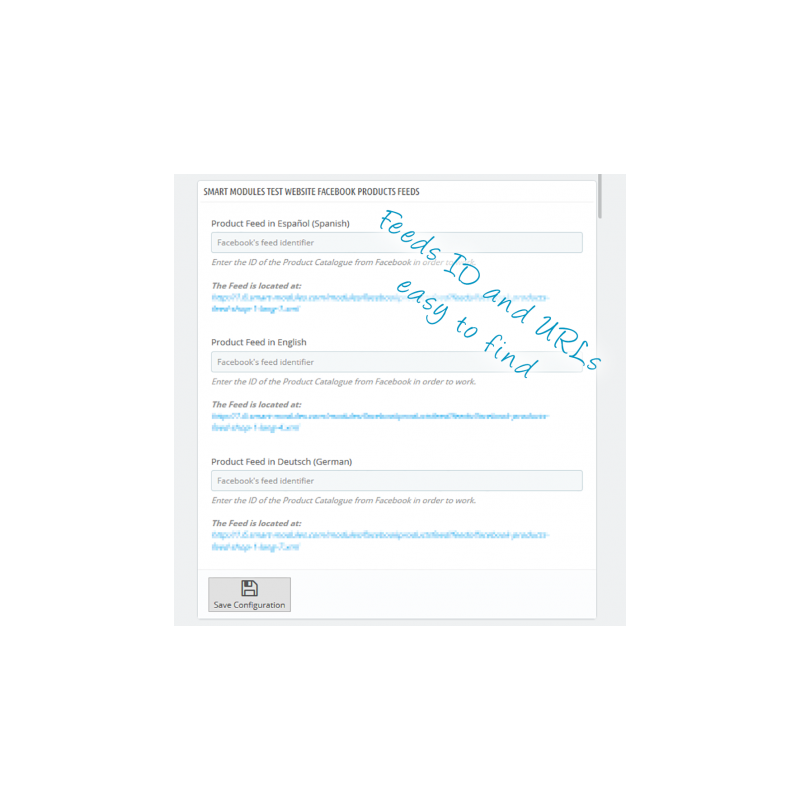
- Easy to configure modules. To make it work you only need to get the Pixel ID from Facebook and the Catalogue ID’s (one per language / web shop)
- Tracks almost all Facebook Events + Category
- You can create both Custom Audiences (web traffic and email list)
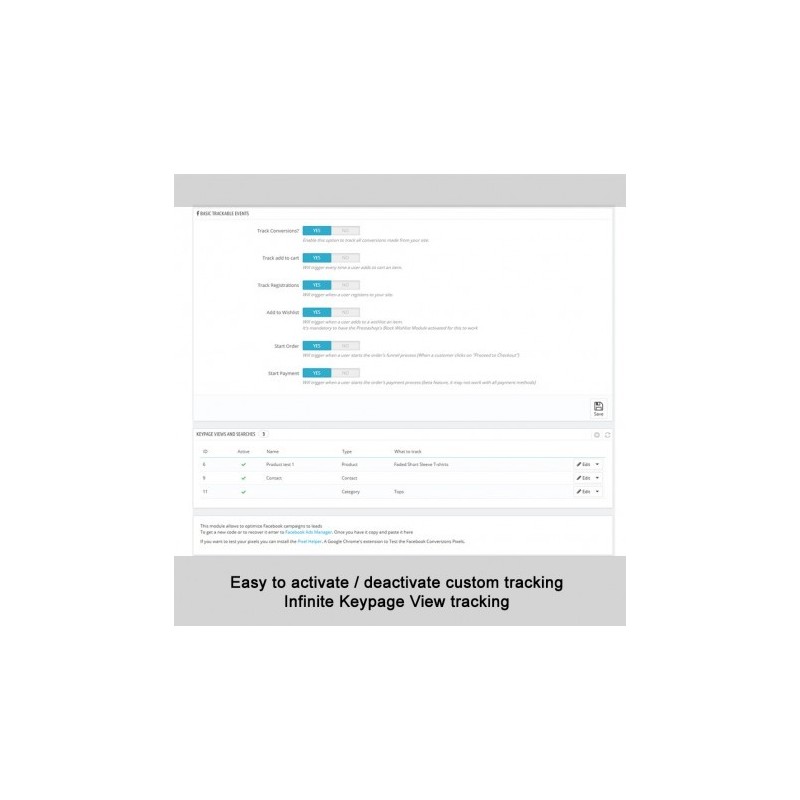
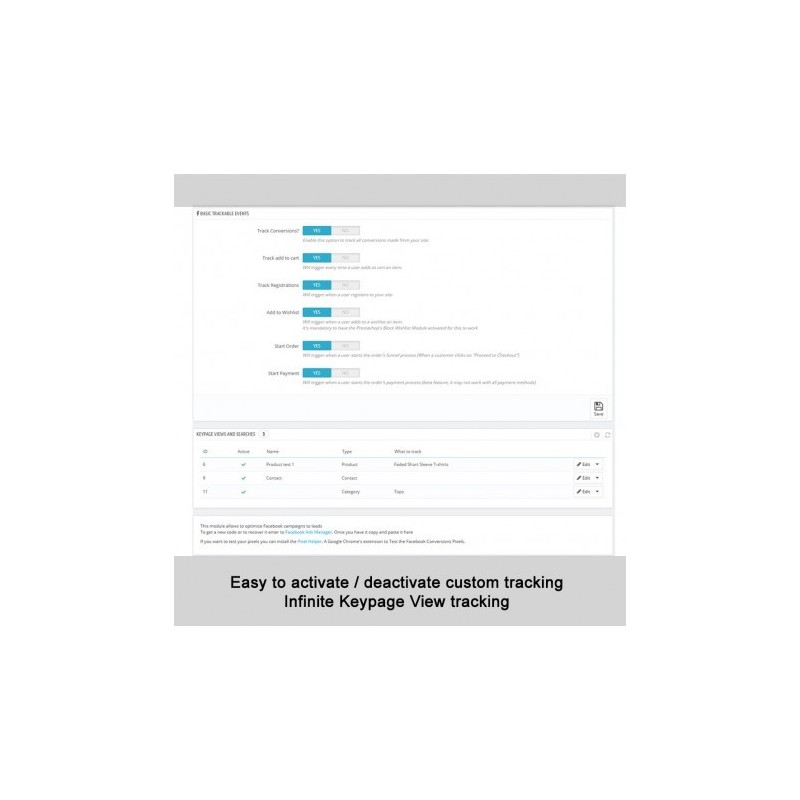
- Events to track easily enabled / disabled
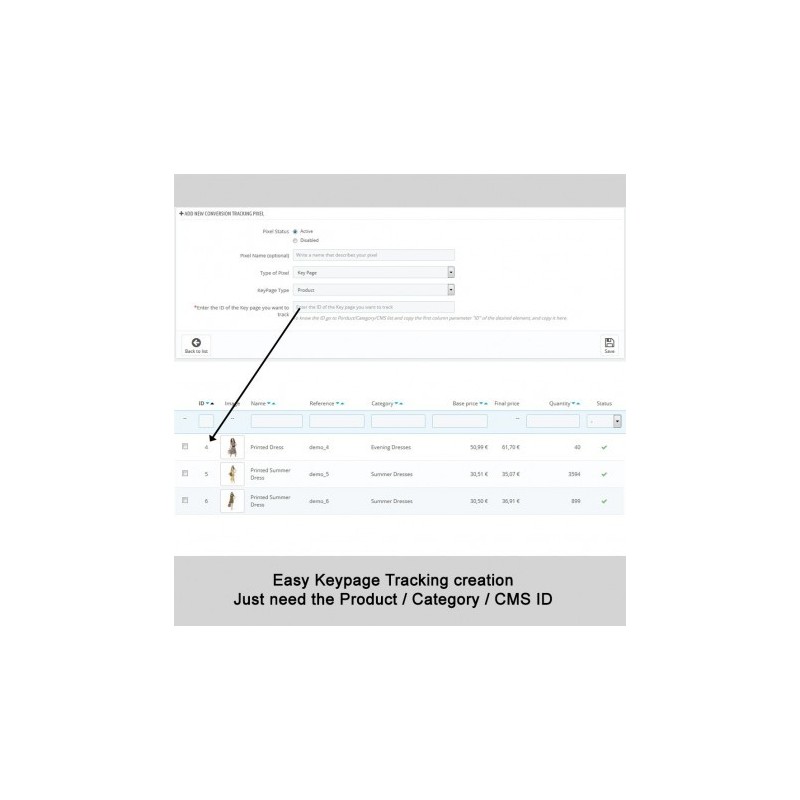
- Custom page tracking (contact info, CMS pages...)
- Customizable options for Feeds export
- Well documented
- Fast and reliable support
 

BENEFITS FOR CUSTOMERS

Customers will see more relevant and attractive ads. Better brand awareness and sales improvement and on less publicity costs.
 

INSTALLATION

Installation for both modules is fast and easy. Just follow these steps.
 
First of all, I recommend moving your ad account to Business Manager, since you will need it to create the Product Catalogues. Two ad accounts create too much confusion.
Enter http://business.facebook.com and follow the instructions. It’s really easy.
 

Pixel Plus

First, go to the top menu in Facebook Business Manager and select Pixels:
- If you already have a Pixel you will find the ID on the right side of the screen.
- If you don't have a pixel a wizard will guide you step by step. Once created you will only need the number (pixel ID)
 
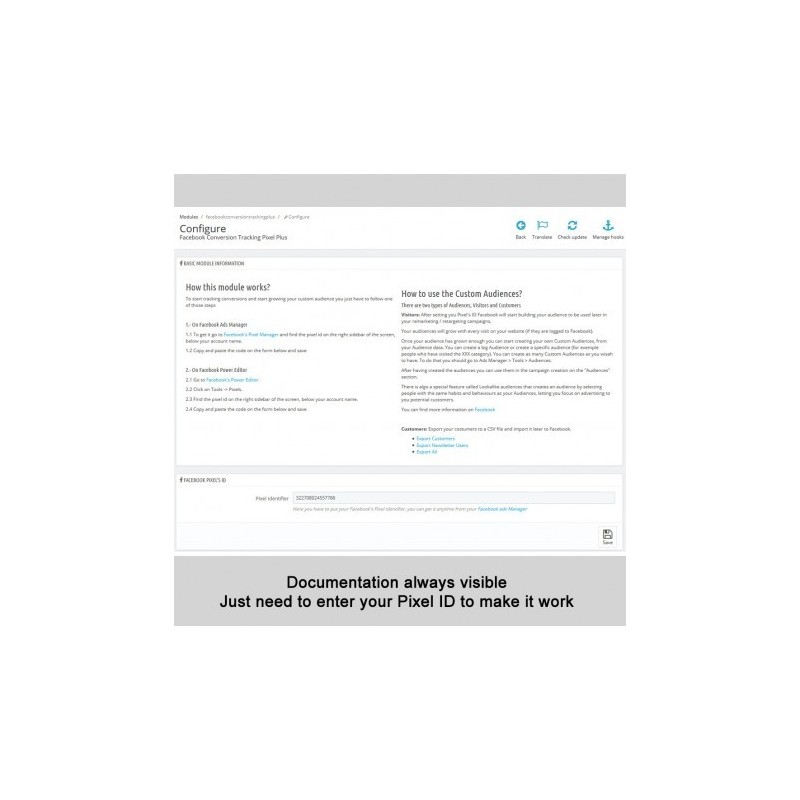
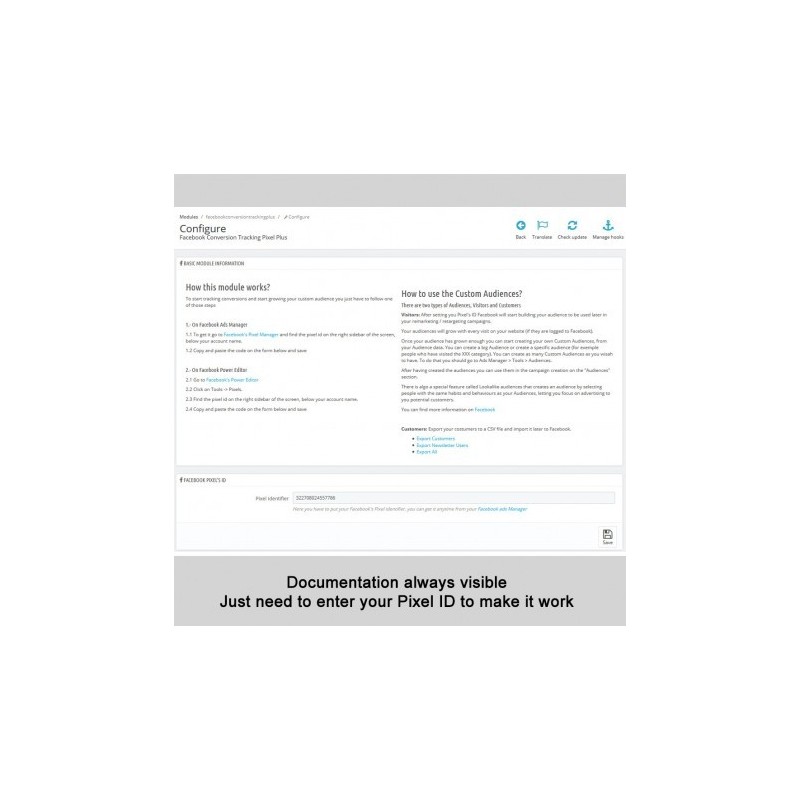
Now copy the ID and paste it to the Pixel Plus configuration page.
Select the events you want to track. You can leave them all activated if you want, since you will have more flexible options for ads and for optimization in the near future.
 
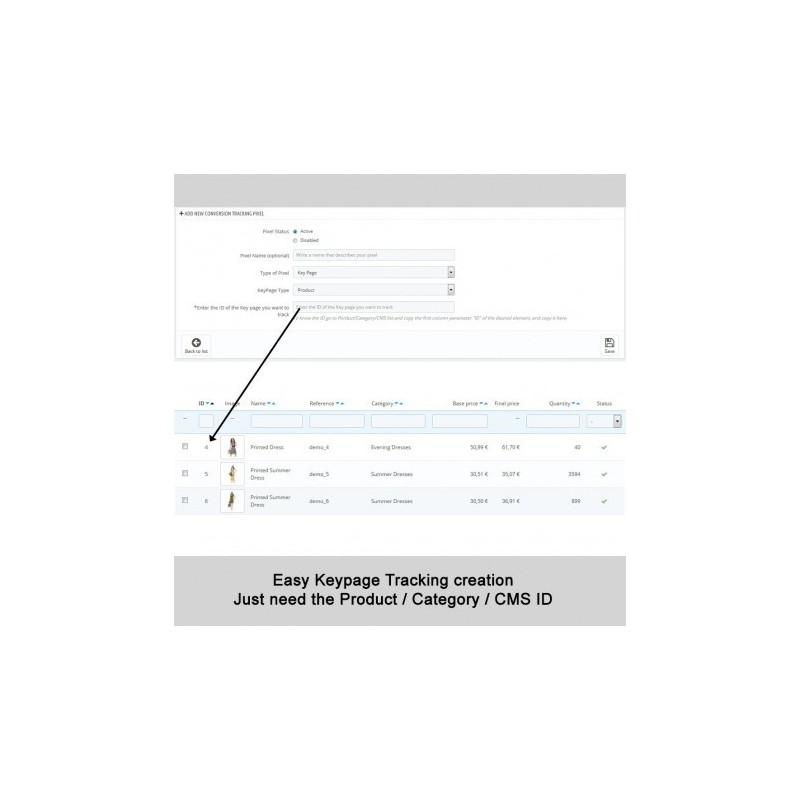
Add any custom page you want or need to track.
 
Save.
 

Facebook Product Feed Generator

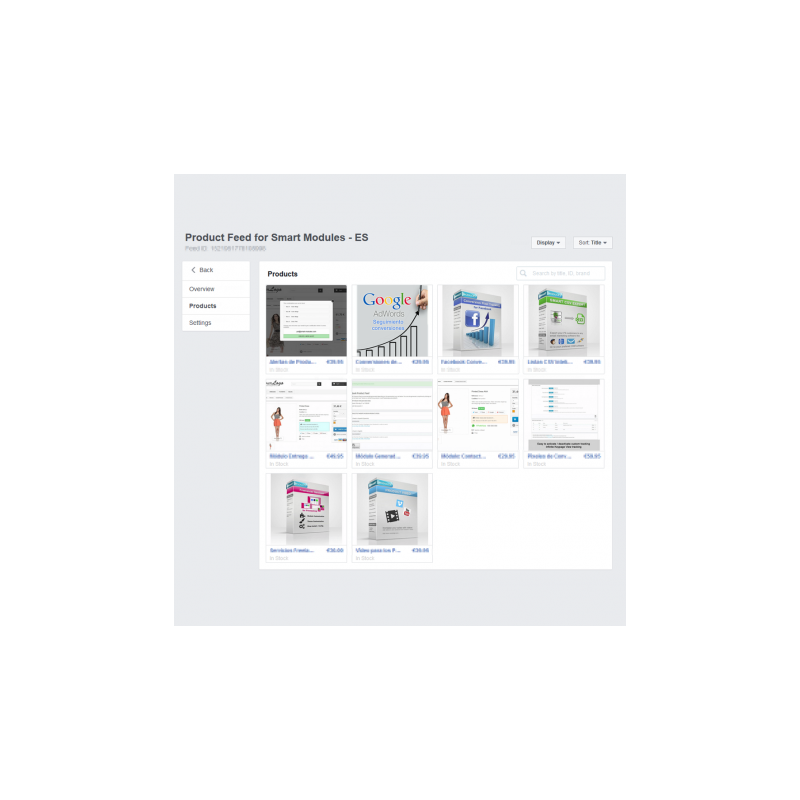
1 Creating the Product Catalogues
Go to Business Manager. And repeat these steps for every shop and language you want to use.
 
1.1 Create a product catalogue
1.2 In “Configuration” select recurrent update
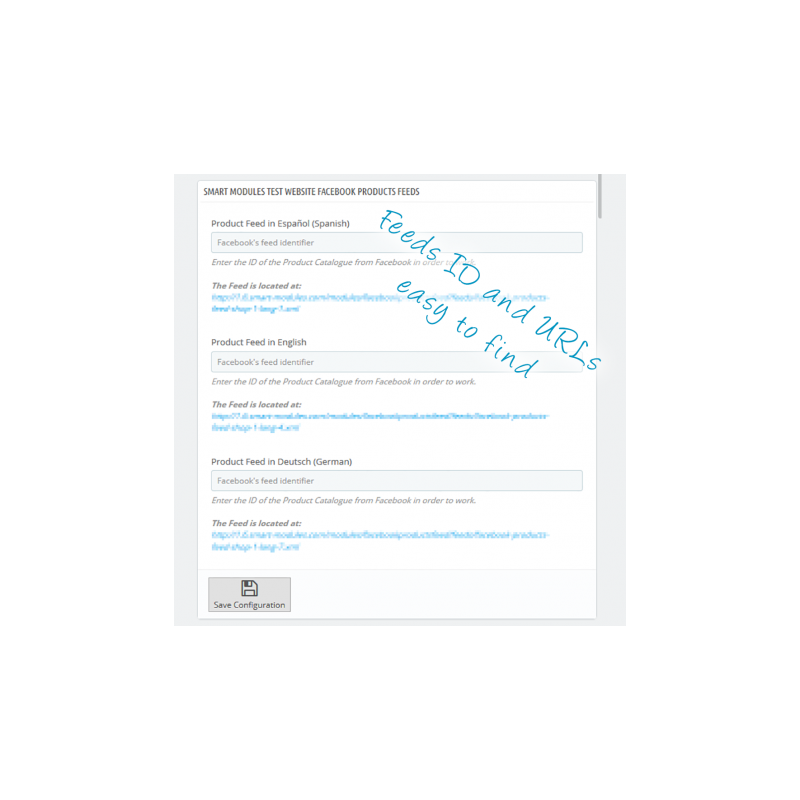
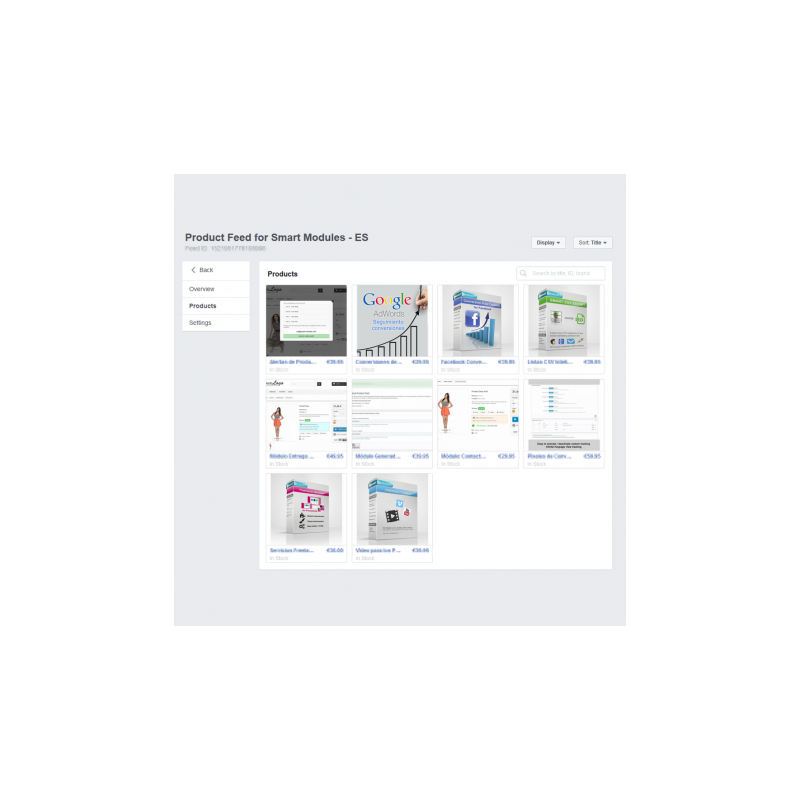
1.3 Go to the module configuration screen. There you will find the URL for each Feed. Select and copy the one you need.
1.4 Paste it in the Feed configuration URL.
1.5 Select the hour you want to do the uploads. I recommend you choosing an hour when there is little traffic, like 1:00 am or 2:00am.
1.6 Save
1.7 Now look for the Product Catalogue ID you can find at the top of the screen. Copy and paste it in the module box.
 
Repeat those steps for every web shop and language.
 
2 Images
If you select a new image format, like fpf_image (1200x600) you will need to regenerate the thumbnails. Just follow these steps:
 
2.1 Go to Preferences > Images. Scroll down until you find “Regenerate Thumbnails”.
2.2 Select “Product” and then fpf_image.
2.3 Select “No” to delete previous images
2.4 Click on “Generate”. (this may take a while depending on your product catalogue size)
2.5 If you have a large image database the script may end before all images are regenerated. In that case just repeat the steps mentioned above.
 
3 Generating the Product Feeds for the first time
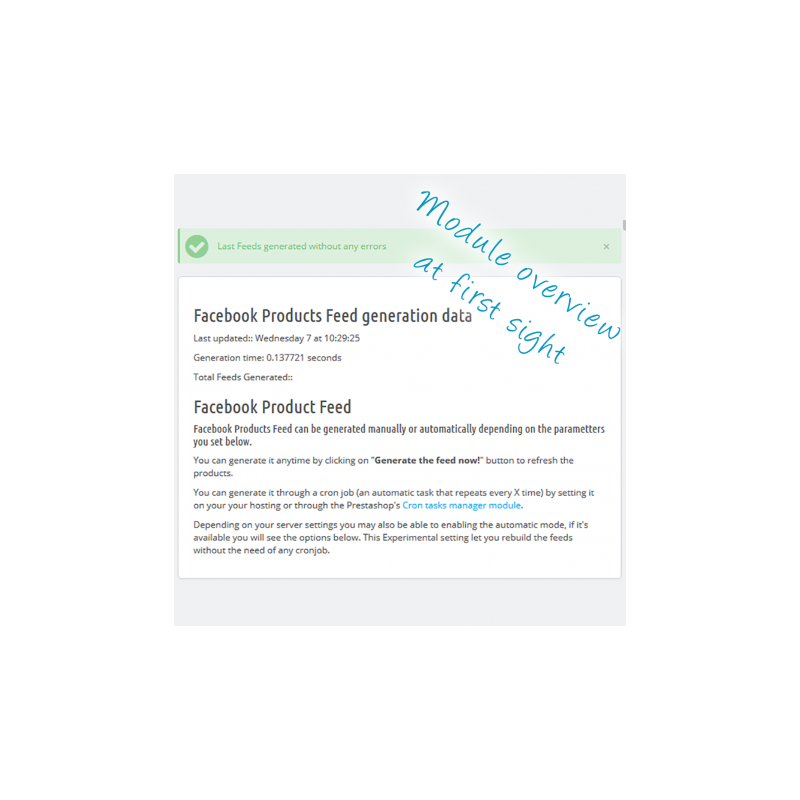
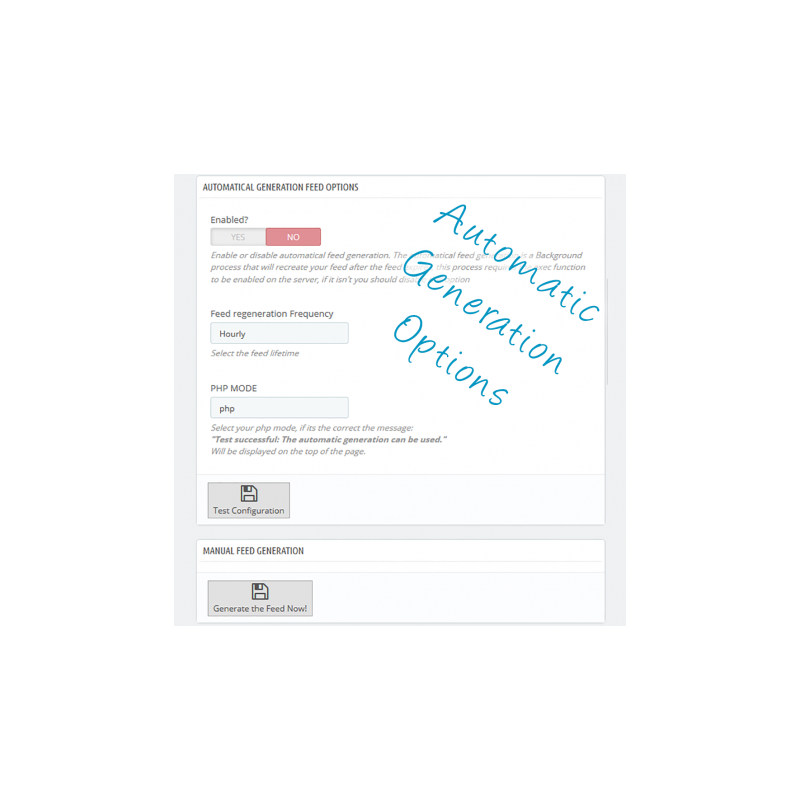
The module has a button to manually generate the feed. The first time we recommend you to generate this manually, since it will allow you to see the errors report and fix these, if necessary.
 
If a product has an error it will be skipped, but the catalogue will still be generated.
 
4 Setting the Cron job
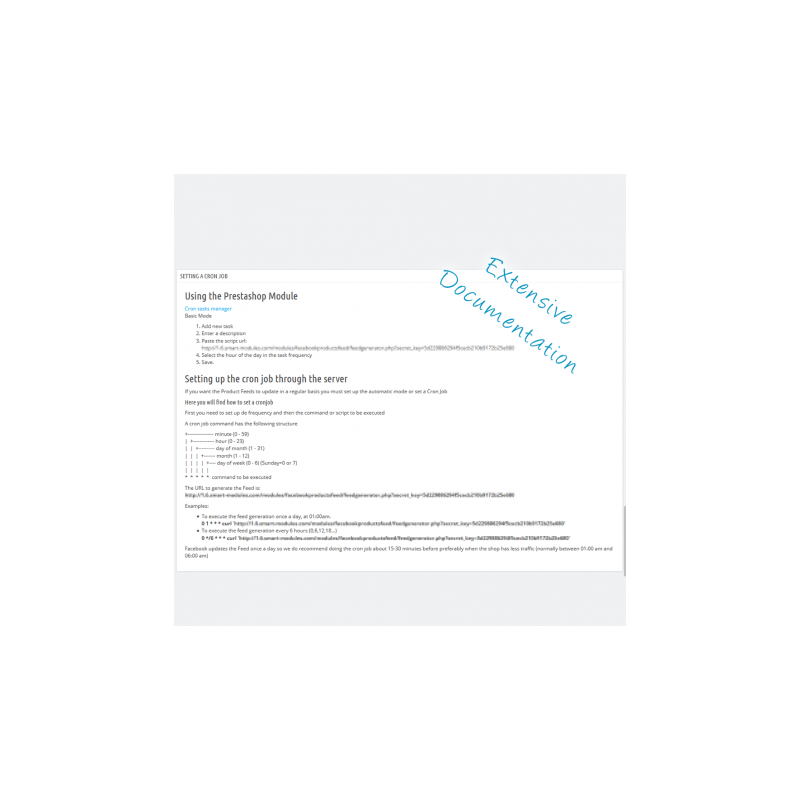
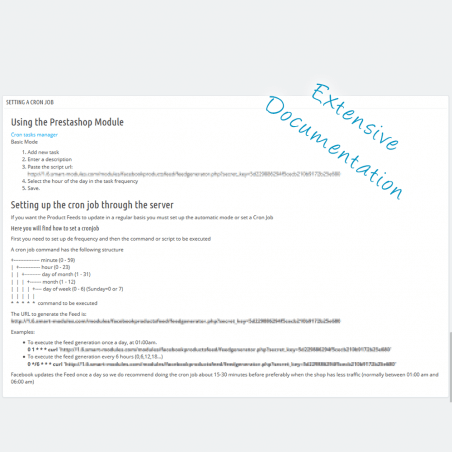
The CronJob is a periodically executed task by the server. After setting the CronJob the Product catalogue will be updated automatically. In the module you will find detailed instructions on how to configure it.
 
Don't worry! It isn't hard at all.
 
In case of doubts or difficulties during the installation and configuration process, please contact me.
 

RECOMMENDATION

Install the Pixel Helper for Google Chrome:

 
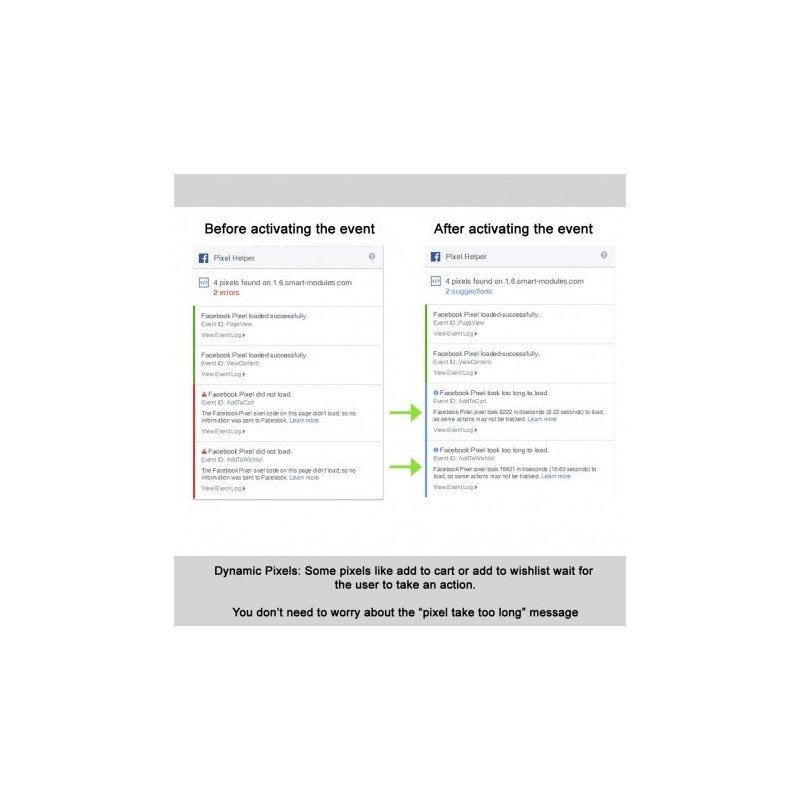
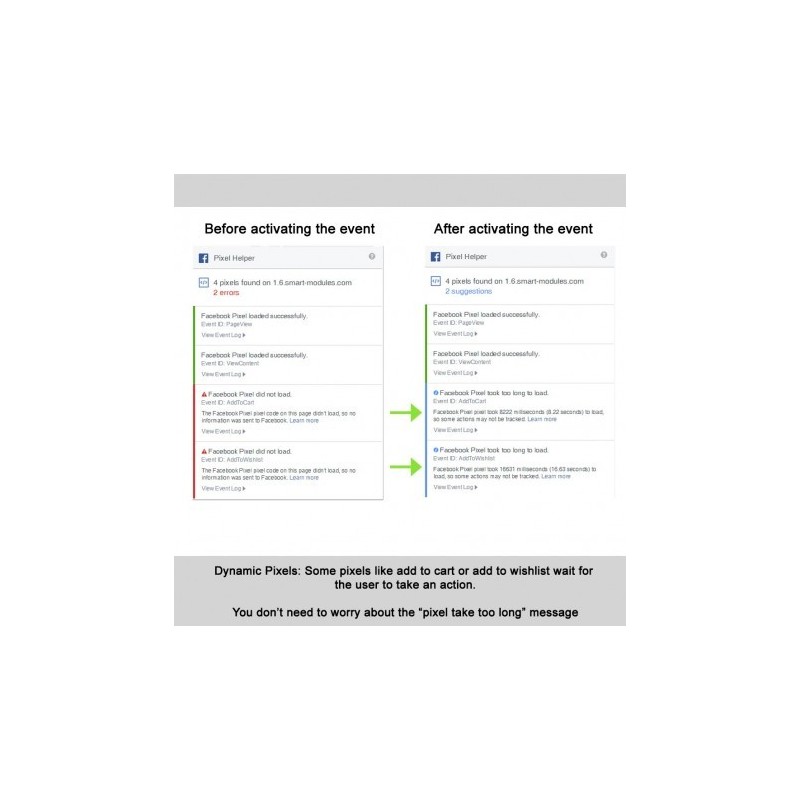
With Pixel Helper you can debug and see what information are sending both modules.
 
Note that dynamic events, events that require an action to be executed like addToCart and addToWishlist, initiateCheckout…, will remain inactive until the event is triggered.
 

OTHERS

Suggestions appreciated

We always appreciate suggestions and Feedback. New functionalities, features... anything you can come up with is welcome.
 

Fast Support

From Monday to Friday 8:00 to 15:00

Facebook Pixel + Dynamic Retargeting

This pack is a combination of two of our best modules.

Get the most out of your Facebook campaigns (ads) thanks to tracking of all events and the information it generates, costs, conversions... and maximize sales with dynamic product ads, a dynamic retargeting method where you only need to create the ad once, and based on the user's behavior on your site it will show them an ad personalized for them (it can feature one or several products).

Pixel Plus - Conversion and event tracking for Facebook

A module that is very easy to configure and full of great features, such as tracking all Facebook events
  • Page views (PageView)
  • Content views (ViewContent)
  • Category views (ViewCategory)
  • Searches (search)
  • Products added to cart (AddtoCart)
  • Products added to wishlist (AddToWishlist)
  • Checkout started (InitiateCheckout)
  • Payment method selected (AddPaymentInfo)
  • Registrations (Registration)
  • Tracking of key pages such as (CMS, home page, contact...)
It also supports adapting product feeds and lets you export your customers to create custom audiences based on your customer base.

Product feed generator that meets Facebook's guidelines

A fast, secure and well-documented module to easily and automatically export your product catalog to Facebook. This module is multilanguage and multistore.
After generating the feeds you will see a report that tells you whether you need to modify any product to comply with Facebook's rules, and gives you a link so you can do it with a single click.
Several options are also available to work around Facebook's limitations and requirements, such as being able to assign a brand to all products that don't have an identifier (required by Facebook) without having to edit any product.
The module also generates images at the optimal size for Facebook ads and integrates seamlessly with our Pixel Plus module.
Finally, an easy system for mapping Google categories to your categories, which can slightly improve ad performance and makes Facebook show more relevant results.
Once configured and tested, you only need to create a cron job (clearly explained in the module) so the process is automatic and you no longer have to worry about generating the feed.

Features

Easy to configure

To make it work you only need the pixel ID in the case of Pixel Plus and the feed IDs for the Feed Generator.

Track all Facebook events

Some extras, such as category tracking

Lets you create Custom Audiences

From both website visitors and the shop's email list

Enable or disable event tracking with a single click

Tracking for CMS and predefined pages

Such as the home page or the contact page

Options to customize the product export

Well documented

Fast and efficient support

Customer benefits

You will increase the chance of turning your visitors into customers by showing them ads directly related to the products they were interested in on your site, improving sales and reducing your advertising spend.

Installation

Installing both modules is quick and easy. Just follow these steps.
First of all, I recommend creating a Business Manager account, since that is where catalogs are managed. If you have a regular account, you can migrate easily by following the on-screen steps.
Go to http://business.facebook.com and follow the steps. It is simple and well explained.

Pixel Plus

Go to the top menu of Facebook Business Manager and select Pixel:
- If you already have a conversion pixel, you will find the ID on the right side of the screen, roughly in the center.
- If you don't have a pixel, a wizard will appear to create one. Once you have created it, you will see a screen with the pixel code and, further on, the (numeric) pixel ID. Copy it.
Now go to the module configuration and paste it. Select the events you want to track. We recommend leaving them all enabled even if you are not using some of them yet, as it will help Facebook improve results and will help you with possible future campaigns. Add any custom pages you like, such as the home page or the contact page.
Save and you are ready to go.

Facebook-compatible product feed generator

Go to Facebook Business Manager and repeat step 1 until you have created one catalog for each shop and language you want to use.
1.1 Create a product catalog
1.2 In the settings, select scheduled upload
1.3 Go to the module configuration screen. Below the field for the ID you will find the address where the product feed for that shop and language will be generated. Copy it
1.4 Go back to FBM and paste it into the settings.
1.5 Choose a time for the uploads. We recommend a low-traffic time on your website, such as 1:00 am or 2:00 am
1.6 Save
1.7 Open the newly created product catalog and at the top you will find its ID. Copy it and paste it into the module's configuration page.
Repeat these steps for each shop and language you want to use.
You only need to do this step the first time you install the module, and only if your shop already had products, since for new products the image will already be created with the right dimensions.
2.1 Go to Design > Image Settings. Scroll down until you find "Regenerate thumbnails".
2.2 Choose: Products and, in the next box, fpf_image.
2.3 Click generate. (this process may take a while, depending on the size of your catalog)
The module has a button to generate the feed manually. The first time, we recommend generating it manually so you can fix any errors that come up.
If an error is found while generating the product catalog, that product is simply skipped; the creation of the rest of the products will never fail.
Once all errors have been fixed, the next step is to automate the process.
Cron jobs run periodically on the server, so once it is set up the product catalog will be generated automatically. In the module you will find detailed instructions on how to set up a cron job, as well as examples you can copy and paste.

If you have any questions or difficulties during installation or configuration, you can always contact us.

Recommendations

Install the Pixel Helper for Google Chrome:

With Pixel Helper you can see all the information being sent to Facebook and its response.
Note: dynamic events (addToCart and addToWishlist...) will stay red until they are triggered.

Other

If you like the module and want to encourage us to keep adding great features, rate it and help other customers.

We love getting your feedback and ideas to make our module even better. New functionality, features, options... anything that comes to mind.

Monday to Friday, 8:00 to 15:00