Conversion Pixel Tracking + Custom Audiences
Compatibilidad > 1.5.6

Conversion Pixel Tracking + Custom Audiences

Just for Facebook. Create Custom Audiences and Track Conversions (purchases) without effort, just go to Facebook, get your pixel ID, copy the code, paste it to the module and you're done.

This module will do the rest for you.

SmartModules
Description

With a rating of nearly 5/5 this is the best and easiest module to get better results when doing campaigns with Facebook Ads.

New: Completely recoded to fit the new Facebook Pixel, allowing you to track Conversions and also to create Custom Audiences in Facebook.

With this module you will see on your Facebook account the conversions made through your ads. This way you can optimize your campaigns, reduce the cost and increase the sales.

You'll also be building your Custom Audience, perfect for doing a re-targeting/re-marketing campaigns.

And on top of that it's extremely easy to configure!

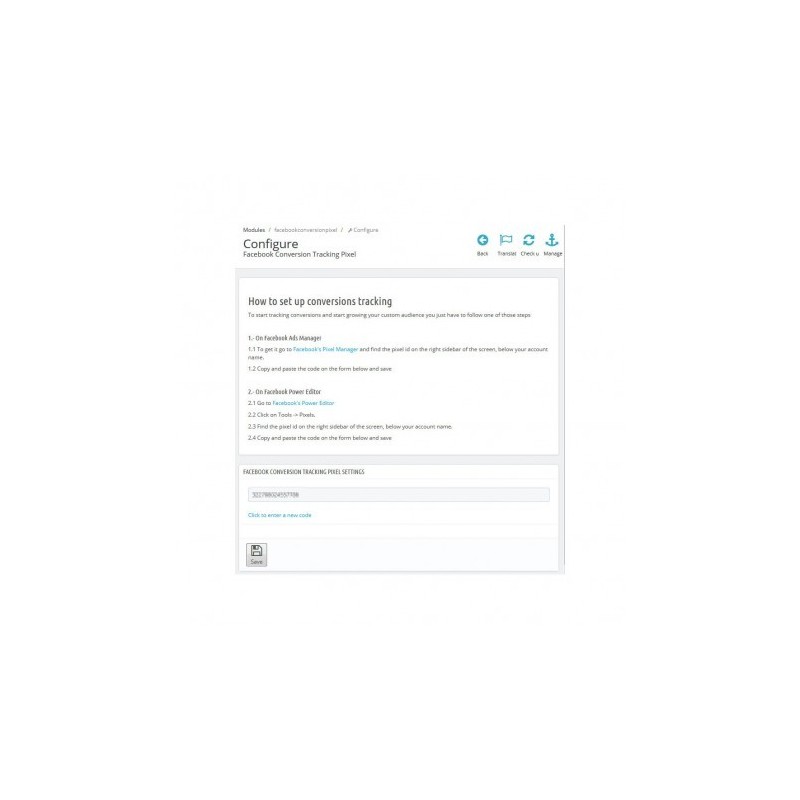
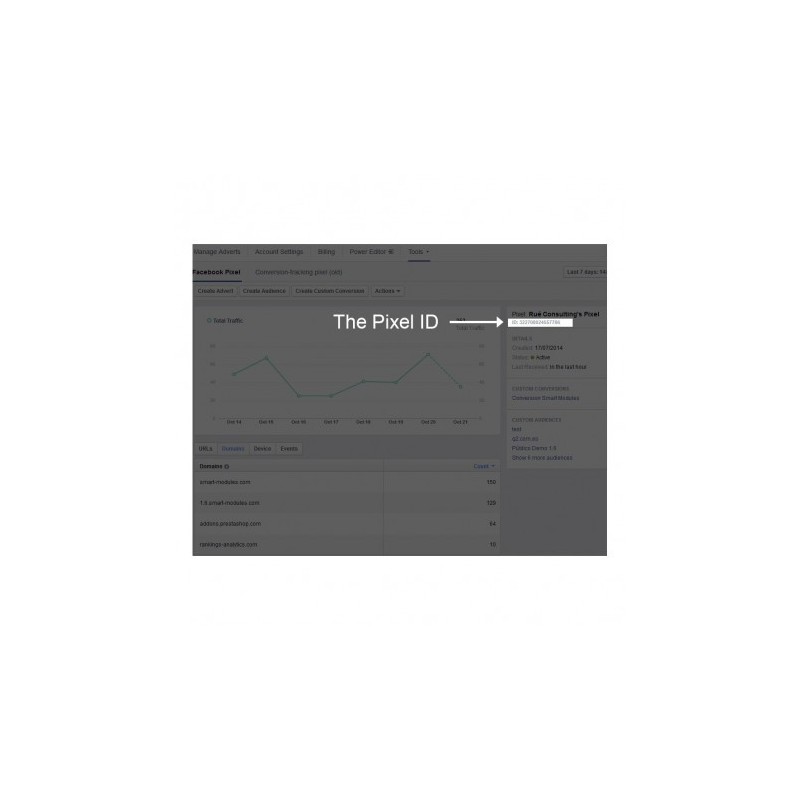
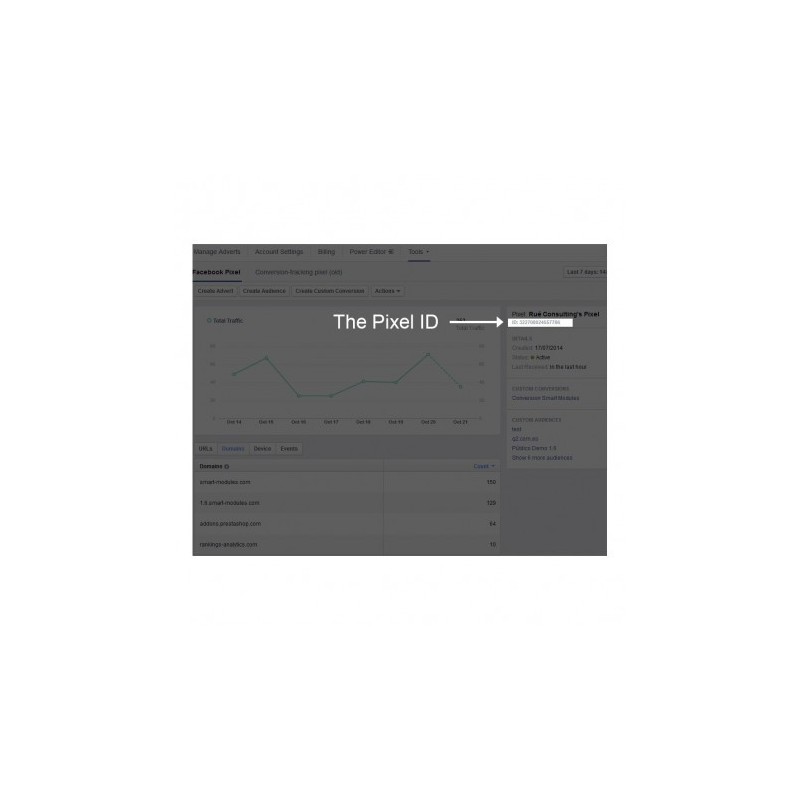
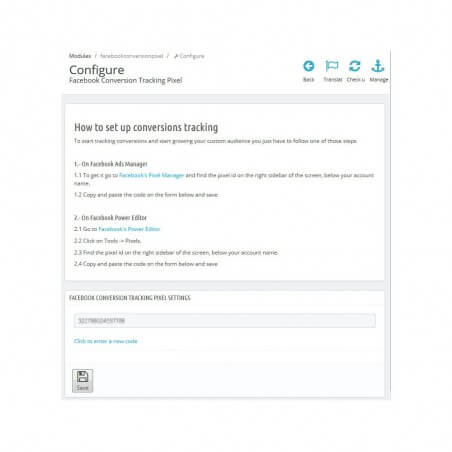
Just go to the Facebook Ads Manager or Power Editor, select Tools > Pixels, copy your pixel ID and paste it to the module and you are ready to go!

Once you have the code this module will do all the necessary changes. This is the perfect module to increase your sales and your ROI with Facebook.

To Use the conversion pixel in Facebook Campaigns:

• Enter it into the Facebook ad manager

• Create a campaign and choose your type of campaign

• Choose your pixel from the drop down (if you have some old pixels note that the new Facebook's Pixel show the account name instead of the pixel identifier)

• And that's all, happy selling!

NOTE: This module only tracks sales and lets you create the custom audiences; it does not track all other events.

If you are looking for a module to track all Facebook Events check our Pixel Plus module.

If you also look for a product catalogue generating module please have a look at our package: Conversion Pixel + Dynamic Retargeting (and save 30€)

FEATURES

• Increase your sales.

• Increase your ROI, meaning lowering you total spending of money or with an increase of sales.

• Create re-targeting campaigns (for your customers or store visitors)

• No programming skills required

• Easy to install, just copy and paste the pixel identifier

• Quick install, less than 2 minutes

INSTALLATION

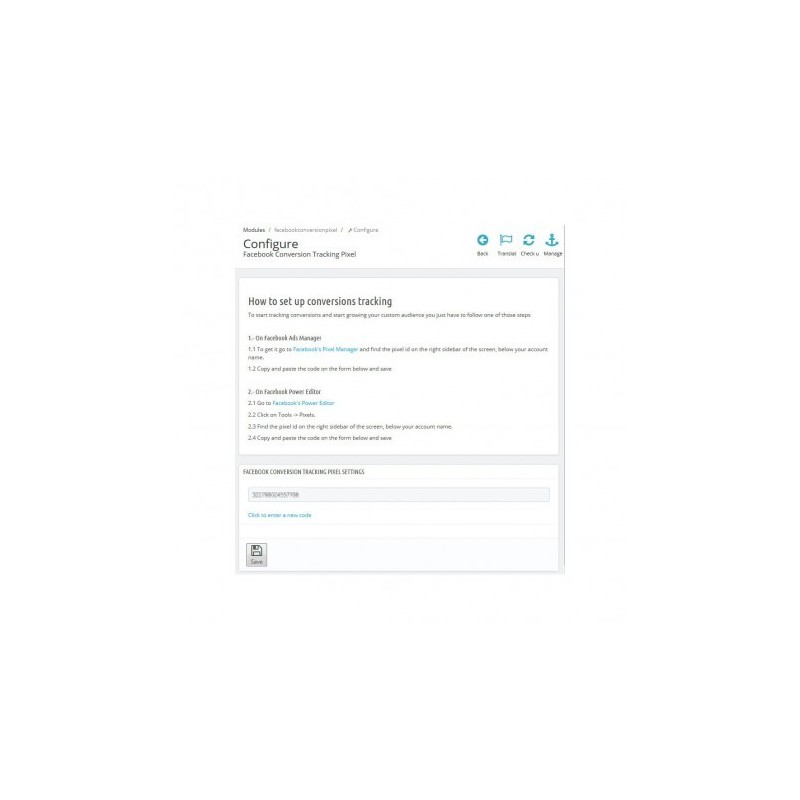
Activate the module and go to the configuration page

Go to https://www.facebook.com/ads/manager/ to get your Pixel ID

Copy and paste it to the configuration page

You're ready to track conversions and create custom audiences!

RECOMMENDATIONS

If you are looking for a module to track all Facebook Events check our Pixel Plus module.

If you also look for a product catalogue generating module please have a look at our package: Conversion Pixel + Dynamic Retargeting

This module is aimed to work with Facebook Ads, if not there's no point in buying it.

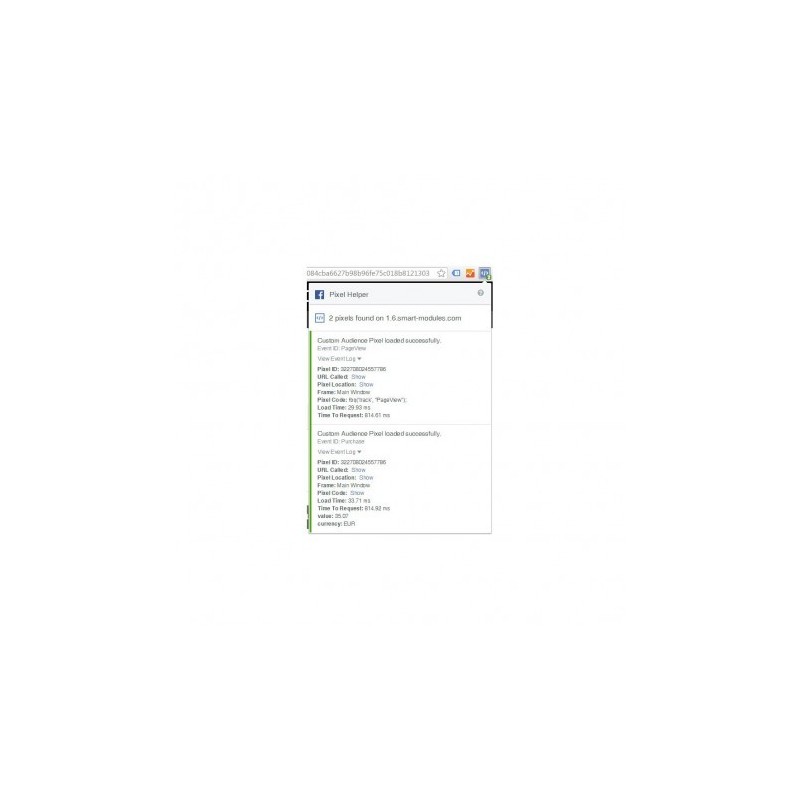
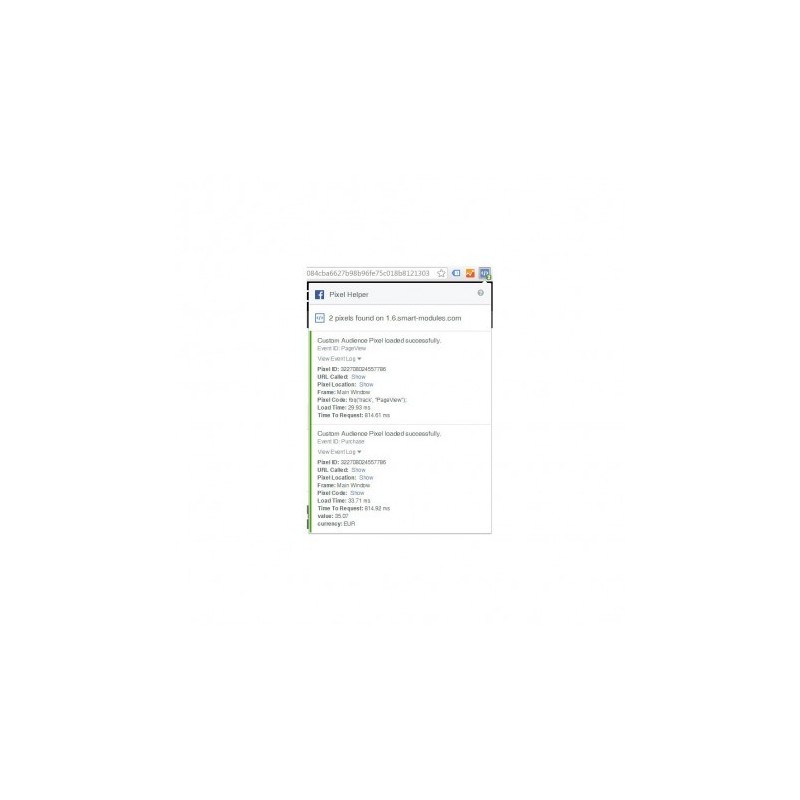
You can install Pixel Helper (an extension for Google Chrome) to check the status of the pixel (see screenshots for an example)

OTHER 

Support

Fast support for installation and configuration

Contact us through the link on the right side of this page

Ratings

Nearly 5/5, excellent support and fast resolving of issues.

Please rate us and help other customers
Conversion Pixel Tracking + Custom Audiences

With a rating close to 5/5, Conversion Pixel for Facebook ranks as one of the best modules for optimizing the performance of your Facebook ads.

New: completely rewritten to work with the new Facebook Pixel, letting you track conversions and also create custom audiences.

Once you have your Facebook ID, the module will start recording conversions and building custom audiences without you having to do anything else. It is the perfect module to optimize your ads and find out which ones generate more sales and which ones don't.

You will also be building your Custom Audiences, perfect for remarketing and retargeting on Facebook (showing special ads to visitors to your site, or to those who have visited a specific part of it, such as a category). You can also create lookalike audiences to reach more people with tastes and interests similar to your visitors or customers, giving you access to more potential customers.

And best of all, it is extremely easy to set up!

Just go to Facebook Ads Manager or Power Editor, go to Tools, Pixels, copy the ID you will see on the right, paste it into the module and save. The module is ready.

How to use the conversion pixel in Facebook campaigns

Open Ads Manager

Create a campaign and choose the type you want

In the dropdown, select our pixel (if you used the old version, you will see that the new pixel is identified by the name of your ad account)

Finish setting up your ad(s) as you like and you are ready to go. Happy selling!

IMPORTANT NOTE

This module tracks conversions and creates custom audiences.

If you are looking for a module to track all Facebook Pixel events, we recommend our Pixel Plus module

If you also want to generate the product catalog for Facebook dynamic ads, we recommend our Facebook Pixel + Dynamic Retargeting pack (you save €30)

Features

Increase sales

Increase your ROI (return on investment, in other words the profit you make for the money you invest)

Create retargeting and remarketing campaigns

No programming knowledge required

Easy to install: copy the code and paste it into the module

Quick installation: it will be up and running in under 2 minutes

Customer benefits

Customers will see better ads and you will increase your sales while reducing your advertising spend.

Installation

Add the module from the admin panel and activate it.

Go to this link to get your ID

Copy it and paste it into the module's configuration page

You are now ready to track conversions in your shop and start using custom audiences!

Recommendations

If you are looking for a module to track all Facebook Pixel events, we recommend our Pixel Plus module

If you also want to generate the product catalog for Facebook dynamic ads, we recommend our Facebook Pixel + Dynamic Retargeting pack

This module is designed to work with Facebook ads; if you don't run them, you won't get any value from it.

You can install Pixel Helper (a Google Chrome extension) to check that the module is working correctly (see the screenshots for an example).

Other

If you like the module and want to encourage us to keep adding great features, rate it and help other customers.

Fast, attentive support for installation, module configuration...

Languages: Spanish and English

Hours: Monday to Friday, 08:00 to 15:00

Help us improve this module by sending us your suggestions or requests for new features.

Rated close to 5/5 thanks to our fast customer service.

When you buy this module, please rate it: we'd appreciate it, and you will help other shoppers decide!

Reviews
test 05/14/2026

Pixel de Conversión + Públicos Personalizados

todo super